Solve your questions about Hikvision products
How do I reset the password of a camera or recorder?
Download the SADP TOOL, and follow the document depending on the age of your device.
How do I activate Hik-connect on my device?
Go to settings > advanced settings > platform access.
Check the box and create a verification code.
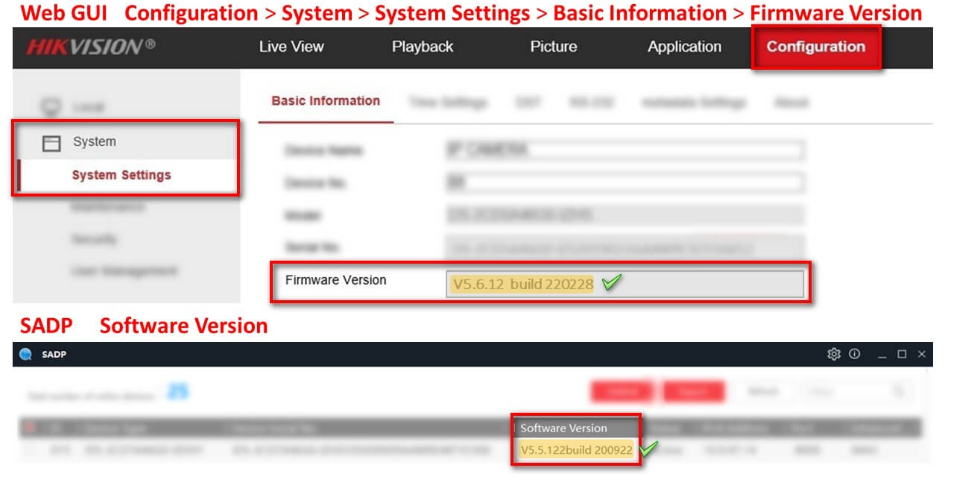
Where can I find the firmware for my device?
How do I activate ONVIF on my IP camera?
Go to configuration > advanced settings > integration protocol.
Check the box and create an ONVIF user with Administrator level.
What is the default password for cameras and recorders?
For security reasons, there is no default password and it is up to the installer to set the desired password once the device is switched on.
How do I unlink a device from one Hik-Connect account to add it to another?
Which (default) ports do I need to open on my router if I am going to connect via public IP or domain?
HTTP port: 80
Server port: 8000
RTSP port: 554
HTTPS port: 443
Why is my recorder beeping?
1. Log in to the DVR/NVR locally.
2. Go to MENU, select SYSTEM SETTINGS and then select EXCEPTION.
3. Review the list of exception types. Select each exception type and uncheck AUDIBLE WARNING if it is checked for that exception.
4. If the unit stops beeping, the current exception selected is the cause of the beeping.
1. Log in to the DVR/NVR locally.
2. Go to MENU, select SYSTEM SETTINGS, and then select EXCEPTION.
3. Review the list of exception types. Select each exception type and uncheck AUDIBLE WARNING if it is checked for that exception.
4. If the unit stops beeping, the current exception selected is the cause of the beeping.
What does the "no resource" error mean in live view?
"No resources" generally indicates that the NVR/DVR's graphic display has reached its limits.
You can resolve this by readjusting the video settings of the displayed camera channels.
Reduce the resolution/fps/maximum bit rate setting for the main stream or the camera's secondary streams.
What software do I need to visualise my devices?
How can I view old recorders via browser if I don't have internet explorer?
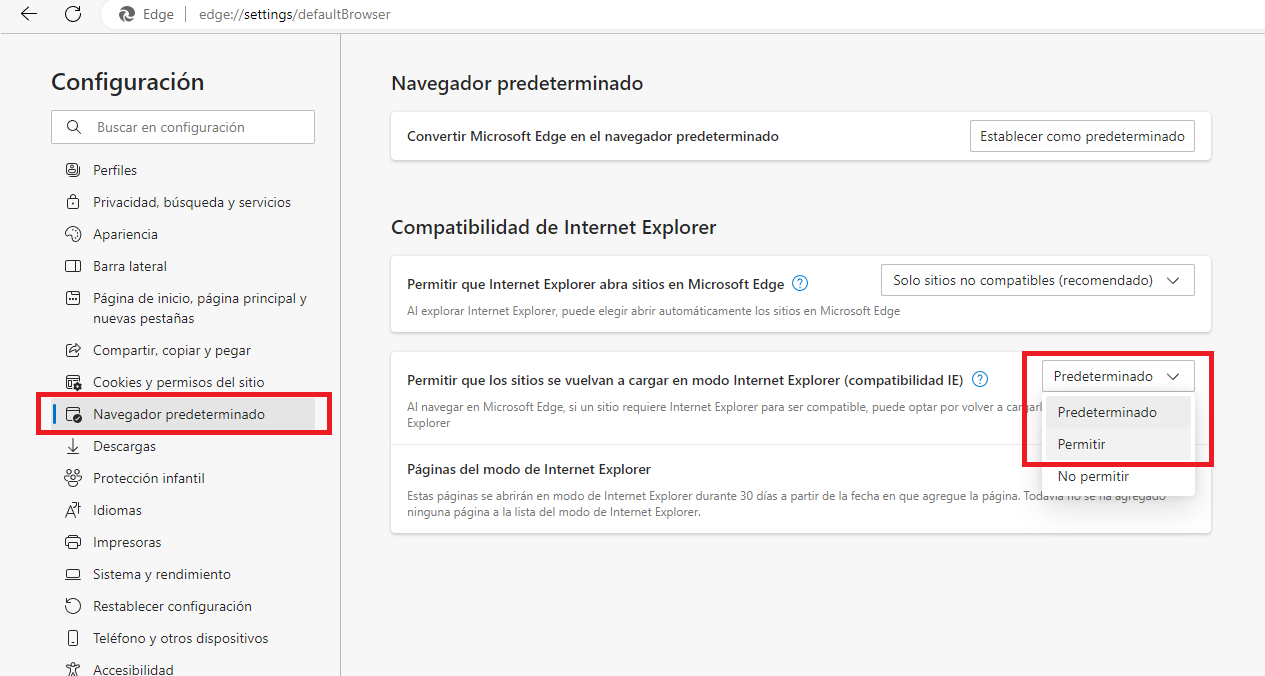
You must enable internet explorer mode in Microsoft Edge.
1. Open Microsoft Edge.
2. Click the ellipses and select Settings.
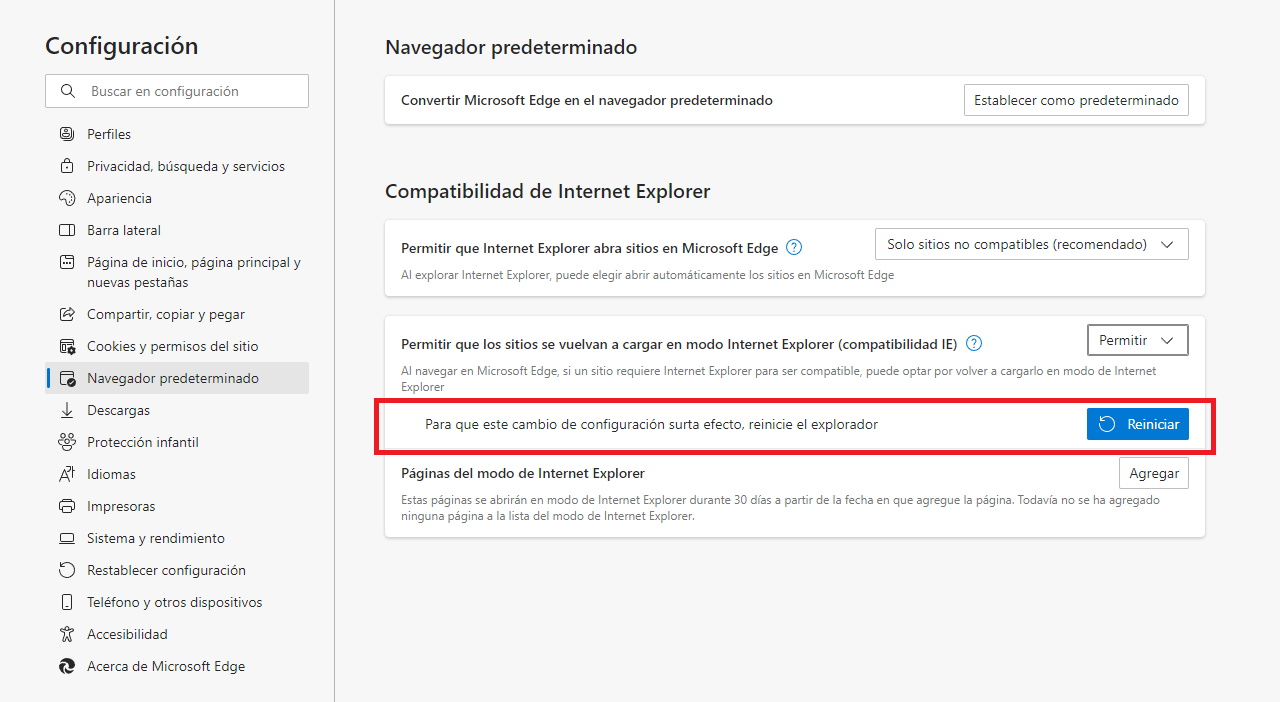
3. Select Default Browser and apply Allow sites to reload in Internet Explorer mode.
To load a site or application in IE mode, open the required site in Microsoft Edge, click the restart button.